What this guide covers
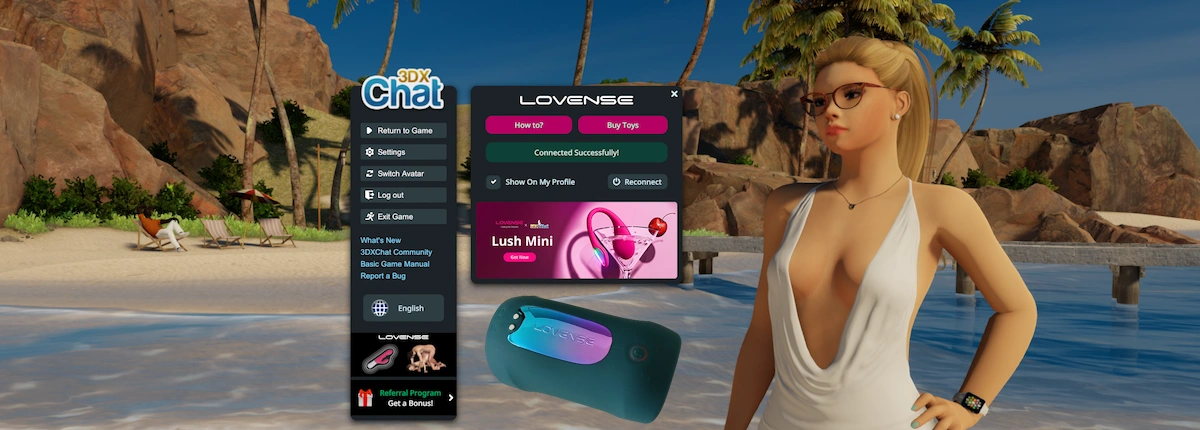
We tested a Lovense Gush 2 with 3DXChat to see how it actually works in practice, from setup all the way to in-game use.
Here’s what we went through:
- setting up the device
- connecting it through the Lovense app
- linking it to 3DXChat
- testing how it behaves during gameplay
Setting it all up takes a few steps, but no worries: we’ve documented the entire setup process.
The device we tested
For this setup, we used the Lovense Gush 2, which we received from Lovense for testing purposes.
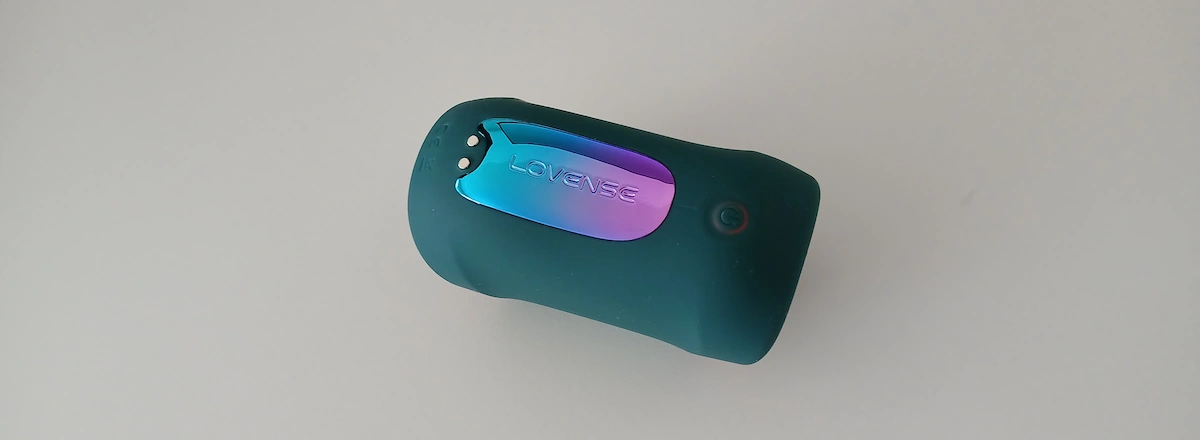
We won’t go into a full review here, but a few basics help before getting started:
- the device charges via USB
- hold the power button for 3 seconds to turn it on or off
- press the power button briefly to cycle through the different vibration modes
To use a Lovense toy with 3DXChat, you’ll need to connect it to the Lovense Remote app first. We did this on an Android phone, but the app is also available on other platforms.
First setup: device and app
Before opening 3DXChat, you’ll need to get the device connected through the Lovense app first.
- install the Lovense Remote app
- enable Bluetooth on your phone
- turn on your Lovense toy
Now, you can connect your device to the app:
- tap the 🔗 icon (top right, next to the + sign)
- let it scan for nearby devices
- select your toy when it shows up
In our case, the app picked it up pretty quickly.
From there, you can already control the device directly through the app. That part works right away.
Now let’s link it to 3DXChat.
Linking Lovense to 3DXChat
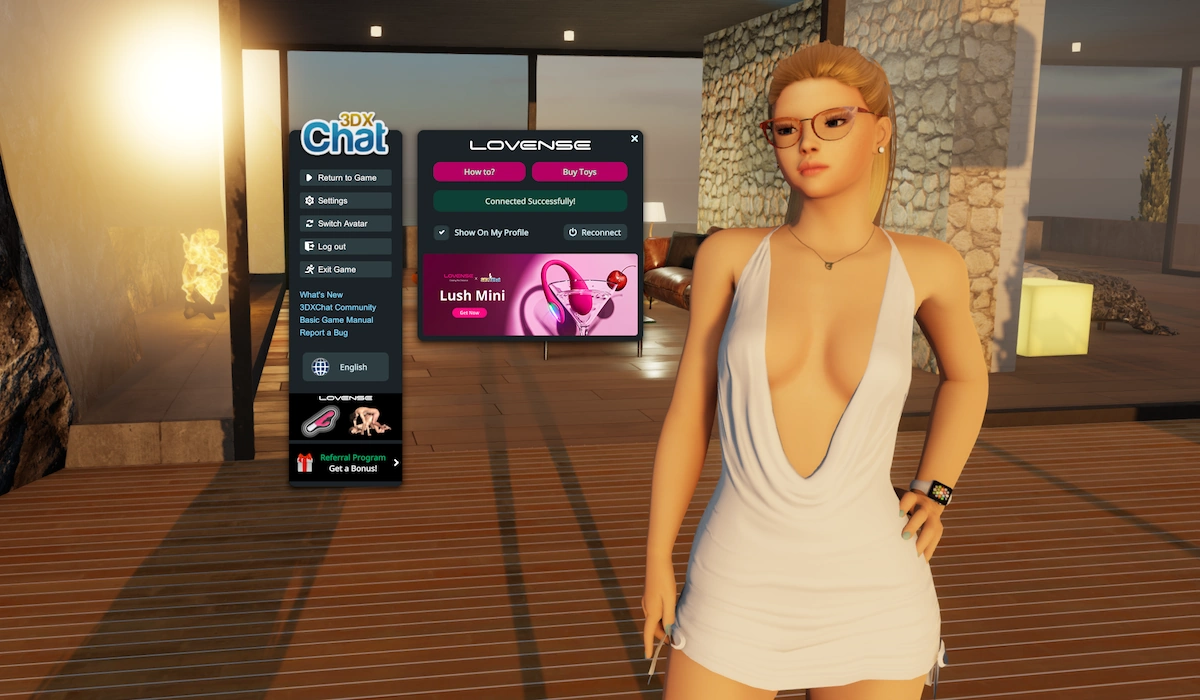
To link your toy to 3DXChat, the game gives you a QR code. You scan that QR code with the Lovense Remote app. That’s what connects the game to your toy.
One thing tripped us up here: you need to be logged into your Lovense account before you can scan the QR code. The QR scan option is under the + icon in the top right of the app, but you won’t actually see it until you’re logged in.
Once you’re logged in, open 3DXChat on your PC.
Then in 3DXChat:
- press Esc or open the menu
- click the Lovense button
- 3DXChat will now show a QR code.
Now go back to the Lovense Remote app:
- tap the + icon
- choose Scan QR
- scan the QR code shown in 3DXChat
The app will ask if you want to allow 3DXChat to control your toy. Confirm that.
In our case, the connection worked right away after that. 3DXChat showed a successful connection message, and the app showed that the toy was being controlled by 3DXChat.
What happens in-game
Once everything is connected, it works pretty much right away.
When you start an interaction in 3DXChat, the toy responds to what’s happening in-game. The vibration follows the rhythm of the animation. If things speed up, the vibration speeds up as well. If you stop, it stops.
In our case, this part worked without any extra setup. As soon as the connection was active, the toy reacted automatically.
The control comes from the game itself at that point. You’re not manually adjusting things in the app anymore, it just follows what’s happening in 3DXChat.
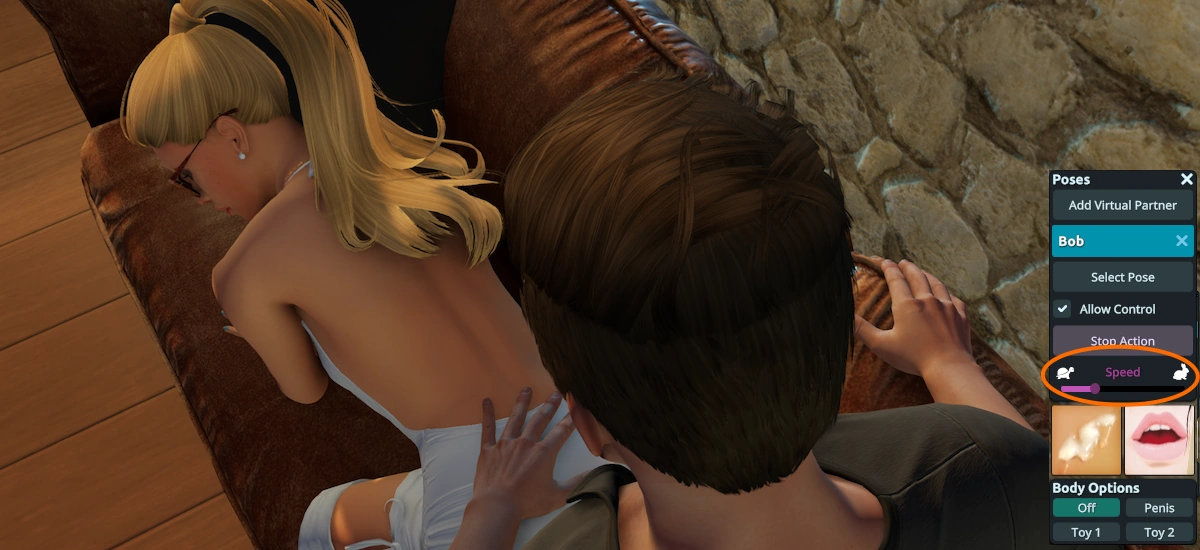
Lovense also mentions a setup where both players can have a device connected, so actions in the game translate to both sides. We didn’t test this directly, but based on how the connection works, it should behave in the same way once both players are linked.
What works well
Once everything is set up, the integration does what you’d expect.
- the toy reacts automatically to what’s happening in-game
- vibration follows the rhythm and speed of the interaction perfectly
- no extra tweaking needed once connected
- connection worked consistently in our test
It’s very much a “set it up once, then forget about it” situation.
What to keep in mind
There are a couple of small things worth knowing before you get there.
- you need to be logged into your Lovense account or the QR scan option won’t show up
- the setup isn’t instant, you’ll need the app and the pairing step
- finding certain options in the app (like the QR scan) isn’t immediately obvious the first time
None of this is complicated, but it can slow you down a bit if you don’t know where to look, so we hope this guide takes care of that!
Final thoughts
The Lovense integration with 3DXChat really does work as advertised. Once the connection is in place you’re good to go, your toy will react directly to what’s happening in the game.
The setup takes a few steps, but after that it’s straightforward.
Ready to try it yourself?
Start here and get into the game world:
Check compatible devices and pick what fits your setup:
– Guide written & maintained by Elena Lugo –
Got a question?
Got a question regarding Lovense and 3DXChat that isn’t covered here? Please let us know, so we can keep updating and improving this page!